Palm Beach Atlantic University utilizes an ePortfolio system called Foliotek. Assessments are made on student work as well as university effectiveness. This course requires the collection of student work for the purpose of fulfilling your course requirements as well as university assessment. Your instructor will describe an assignment that will be collected by two methods:
1. eCollege Dropbox -- Identified by your instructor
2. ePortfolio/Foliotek Dropbox -- Artifact 10.2
To learn how to upload the document to an eCollege Dropbox, refer to the Using eCollege instructions provided under the Course Home unit in this course.
To learn how to upload the assignment into ePortfolio/Foliotek, please click on the Student Video. The ePortfolio link is located on the "Home" tab upon entering eCollege -- prior to clicking onto the "MyCourses" tab.
Note: to print these directions use the "print all" view in the upper-right hand corner.
1. Log in to eCollege – Click on the active "ePortfolio" link on the Home Tab.
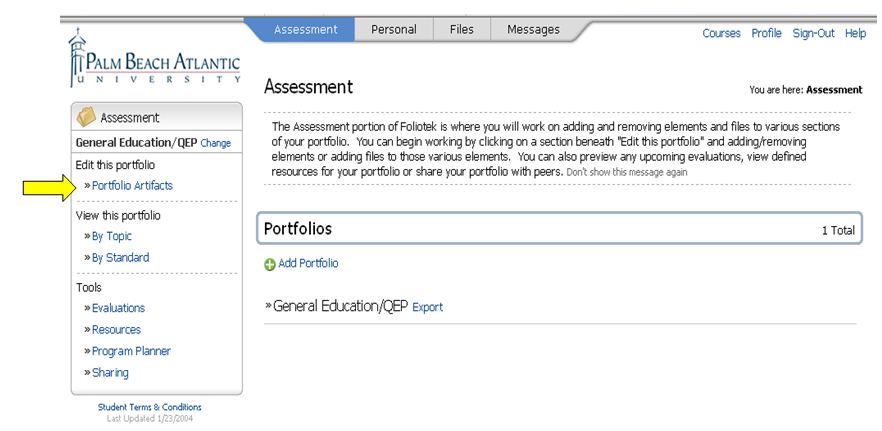
2. You should automatically be opened to the Assessment Tab Home Page.
3. Click on "Portfolio Artifacts" in the left hand navigation window.
4. Under the Required Artifacts Listing, scroll to Artifact 10.2
5. Click on the link for Artifact 10.2

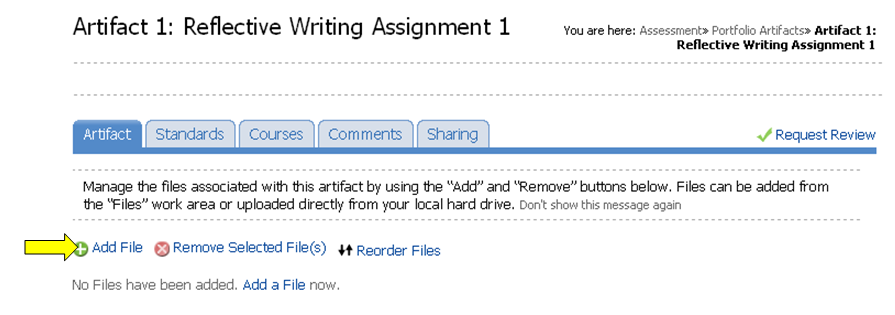
6. Click on "Add File"
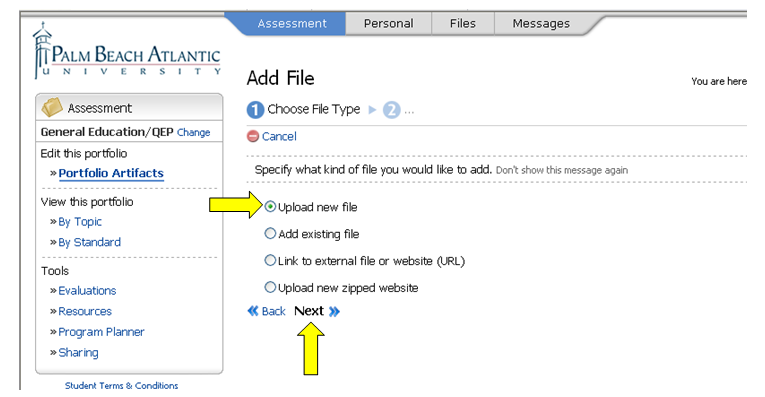
7. Choose "Upload new file" and click "Next"
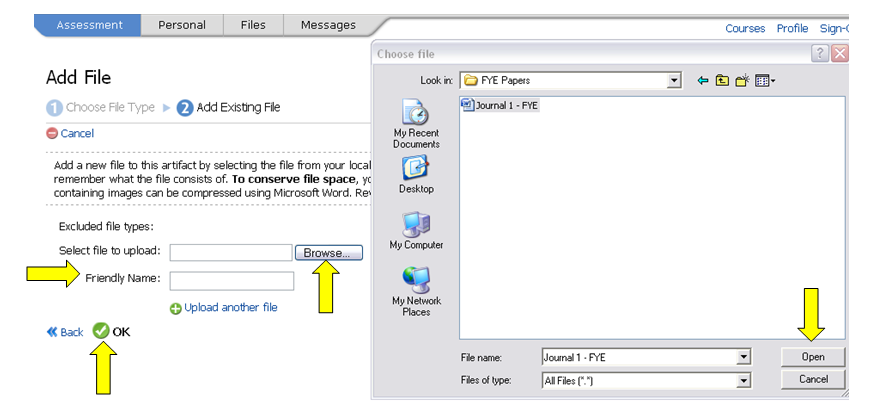
8. Click on "Browse" and select the file to upload the appropriate file
9. Click on "Open" once you have highlighted your document
10. For "Friendly Name", enter the description of the assignment -- Short Written Assignment
11. Click "OK"
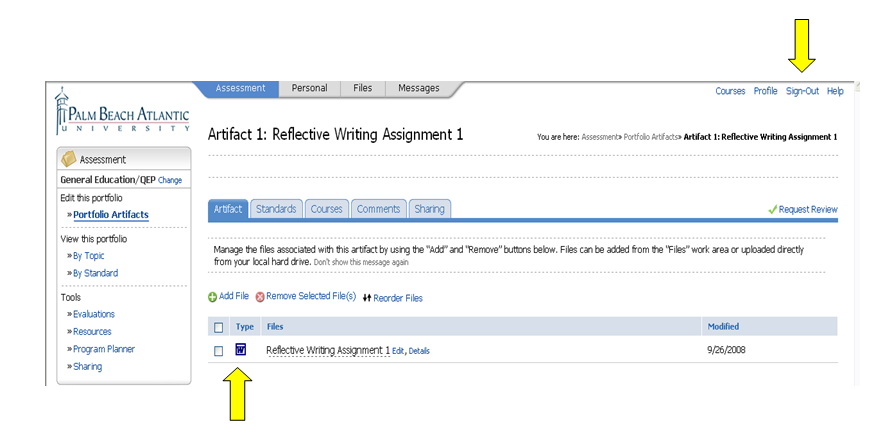
12. You will now see a screen that shows your document has been uploaded.
13. Next you can simply sign-out on the top right of the screen.